AIの概要
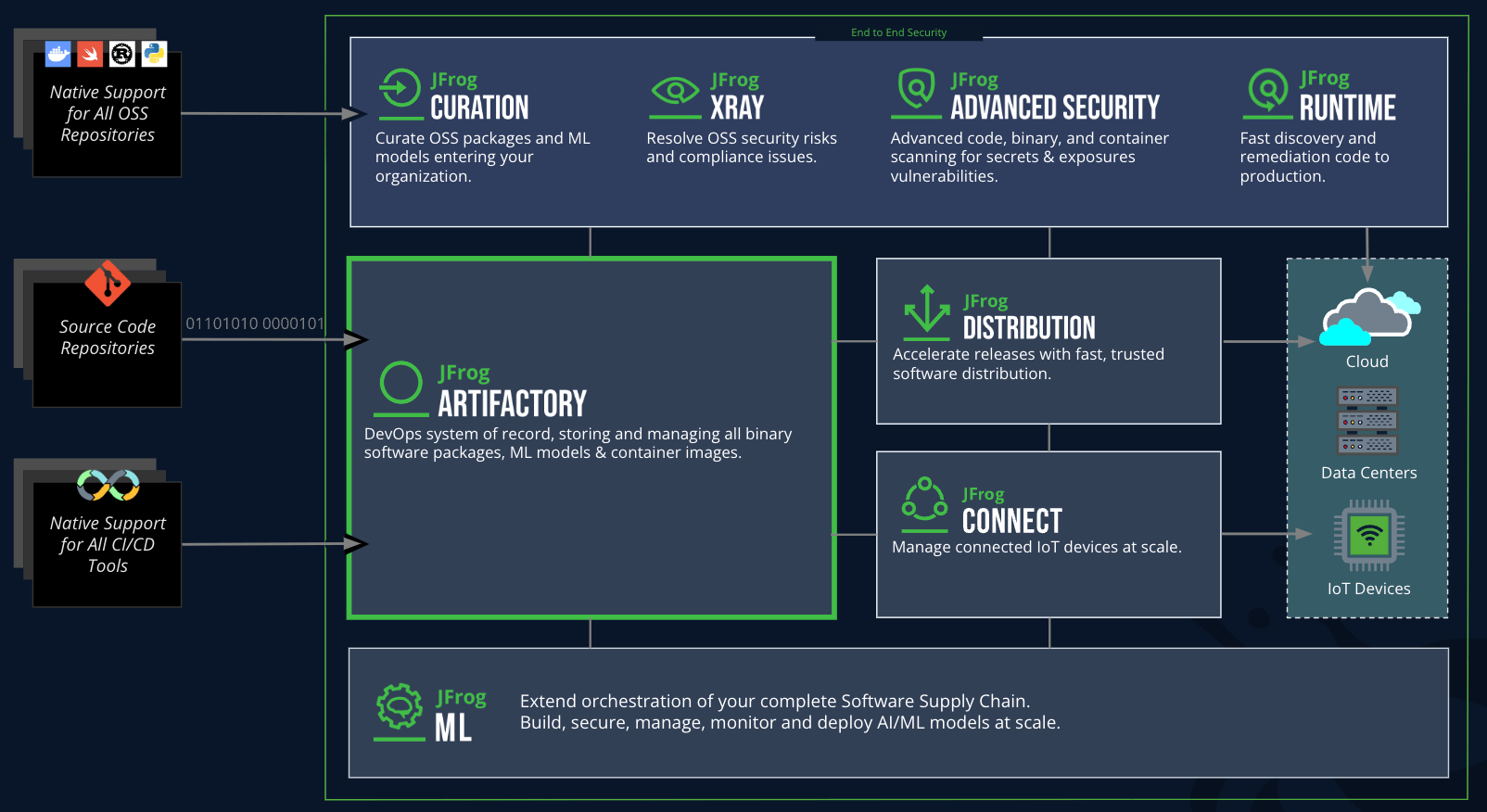
エージェントの信頼性は、取り込み・生成・配布するものの信頼性によって決まります。JFrogは、すべてのAIモデル、Agent Skills、MCPサーバー、AI生成コード、そして生成されたアーティファクトを単一の信頼できる管理基盤(Single Source of Truth)で統制します。
エージェント型ソフトウェアサプライチェーン全体をセキュアに保護することで、新しい開発スピードでも信頼できるソフトウェアを提供できます。

 NVIDIA
  Cursor
  GitHub
New Capabilities
JFrog AIリソース
エージェントAI

AI Overview
JFrog immunizes what agents consume and controls how they build and deploy — every AI model, agent skill, plugin, MCP server, package, and AI-generated artifact, governed in a single source of truth.
A trusted agentic workforce.
This is AgentSecOps.
AI Integrations
 Claude
  Cursor
  Codex
Codex  Hugging Face
  Visual Studio Code
  Devin
Devin  Kiro
Kiro  Open Code
  NanoClaw
AI Resources
Agentic Development
Supply Chain Solutions
The universal and adaptable JFrog Platform solves essential cross-industry agentic software supply chain challenges.
Use Cases
 Docker
  npm
npm  PyPy
PyPy  Wiz
Wiz 
Industry
Accelerate software delivery while meeting strict regulatory standards like HIPAA and FedRAMP
 Financial Services
  Gaming
  Public Sector
  Automotive
  Technology
  Healthcare
ユースケース
 Maven
Maven  Enterprise