Claude
  Cursor
  Codex
Codex  Hugging Face
  NVIDIA
  Visual Studio Code
  Devin
Devin  Kiro
Kiro  Open Code
  NanoClaw
 Docker
  npm
npm  PyPy
PyPy  Wiz
Wiz 
 Financial Services
  Gaming
  Public Sector
  Automotive
  Technology
  Healthcare


JFrog Artifactory Now Integrates Natively with Artifact Registry in Google Cloud

By
6 min read
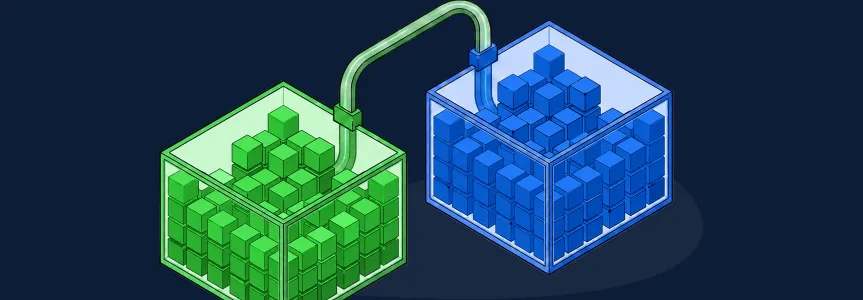
Teams running containerized workloads on Google Cloud have long relied on JFrog as their single source of truth for container images. The missing piece has been getting Google Cloud’s own runtime services — like Cloud Run and Google Kubernetes Engine (GKE) — to pull directly from JFrog for every container image pull. I’m happy to say that the gap is now closed. Artifact Registry in Google Cloud has introduced a new repository mode called Connector that addresses this requirement. In this blog, I’ll explain what the Artifact Registry Connector is, how it works with JFrog Artifactory, and what it means for teams building and deploying containerized workloads on Google Cloud Platform.
What Is the Google Artifact Registry Connector?
The Artifact Registry Connector is a new repository mode in Google Artifact Registry that acts as a passthrough proxy for private container registries such as JFrog Artifactory. Every image request made through an Artifact Registry Connector repository is forwarded in real time to the upstream private registry. No copy of the image is stored in Google Artifact Registry itself.
This passthrough-only design ensures that JFrog Artifactory remains the single source of truth for every container image — with no intermediate copy and no gap in policy enforcement. For enterprise customers, that matters: the image a workload pulls through Artifact Registry is exactly the image JFrog Artifactory has under management, subject to active, immediate policy enforcement at the moment of the pull. The Artifact Registry Connector handles this need.
Designed for how enterprises govern artifacts
Enterprise customers running JFrog Artifactory on Google Cloud need an integration that preserves real-time policy enforcement and keeps JFrog as the single source of truth — without introducing a copy stored in Artifact Registry that operates outside that governance model. The Artifact Registry Connector addresses this: a passthrough architecture that routes every request through JFrog in real time, giving joint customers the best of both platforms without architectural tradeoffs.
How Does the Artifact Registry Connector Work with JFrog?
Setting up the Artifact Registry Connector integration follows a pattern familiar to anyone who has configured a remote repository in Artifact Registry, with one critical structural difference: the artifacts are not stored in Artifact Registry. Here is how each step works in practice:
- Create a JFrog Artifactory Docker repository – The Artifact Registry Connector has to point to an existing Docker registry. Create a JFrog Docker repository and get its URL. Note: it’s highly recommended to create a dedicated virtual Docker repository (which implies a unique URL) per Artifact Registry Connector. This will greatly help for monitoring, auditing and managing usage contexts.
- Create a secret in Google Secret Manager – Artifact Registry needs a JFrog access token to pull images from JFrog. This token should be stored in a Google managed secret. There are two options to create a secret:
- Recommended: Create an auto-rotating secret according to the instructions in the JFrog GCP Secret Rotator repository.
- Simply create a new secret with an access token to JFrog’s Docker repository.
- Configure the Artifact Registry Connector – In Google Artifact Registry, create a new repository of mode Connector. Specify your JFrog Container registry URL (in the format https://my-name.jfrog.io/docker) as the Connector repository source and configure the appropriate authentication credentials using the secret created in the previous step.
- Reference the Connector in your workload – Configure your Cloud Run service or GKE deployment to pull container images from the Artifact Registry Connector repository, the same way you would reference any other Artifact Registry repository.
- Image pull requests are forwarded live to JFrog Artifactory – When Cloud Run or GKE requests an image, the Artifact Registry Connector forwards that request directly to JFrog Artifactory in real time. No copy of the image is created or stored in Google Artifact Registry.
- JFrog Artifactory serves the image and enforces policy – Artifactory serves the image and applies any active security policies at the moment of the request. If a container image has been flagged due to a newly discovered critical CVE, JFrog Artifactory can block that pull immediately, even for images that previously passed all checks.
The result is a seamless container pull experience for Google Cloud workloads, with JFrog Artifactory retaining full authority over what gets served and when.
Key Benefits for Teams on Google Cloud
Teams using Artifact Registry and JFrog used workarounds like syncing images from JFrog to Artifact Registry on a schedule, writing custom Cloud Functions to mirror containers on push events, or maintaining two registries in parallel.
None of those solutions were clean, and none preserved the policy enforcement guarantees that make JFrog the trusted standard for artifact management. The Artifact Registry Connector eliminates all of them. The table below summarizes the before-and-after for teams adopting the integration:
| Challenge (Before Artifact Registry Connector) | How the Artifact Registry Connector Solves It |
| Image sync jobs introduce cache lag and divergence risk | Images not being stored in Artifact Registry means every pull goes to JFrog Artifactory, images are always current and policy-governed |
| Critical CVE found post-deployment: policy update takes time to propagate | Artifactory blocks the next pull immediately, regardless of where the workload is running |
| Maintaining two registries adds operational overhead | A single Connector repository in Artifact Registry eliminates the need for a secondary registry or sync pipeline |
The Artifact Registry Connector closes the loop between where container images are managed (JFrog) and where they are consumed in Google Cloud’s runtime environment.
What does real-time policy enforcement mean in practice?
Real-time policy enforcement means JFrog Artifactory evaluates every pull request at the moment it occurs, not at build time or at a scheduled scan interval. If a critical vulnerability (CVE) is discovered in a container image that is already in production, your security team can configure JFrog Artifactory to block any future pulls of that image immediately. The next time Cloud Run or GKE attempts to pull that image through the Artifact Registry Connector, the request is denied at the Artifactory layer, with no changes required to your Google Cloud configuration or pipeline.
For true runtime monitoring and reporting, JFrog also offers JFrog Runtime. This monitors your running containers and helps flag any that have newly discovered CVEs for remediation.
Get Started with the Artifact Registry Connector Integration
The Artifact Registry Connector integration with JFrog Artifactory is available now. To configure JFrog Artifactory as the upstream source for an Artifact Registry Connector repository, refer to:
- JFrog support documentation: JFrog Artifactory and Google Artifact Registry Integration
If your team is running containerized workloads on Google Cloud and wants to see how JFrog Artifactory fits into your full artifact management and security strategy, there are three ways to take the next step:
→ Schedule a Demo — Get a one-on-one walkthrough tailored to your Google Cloud environment.
→ Take an Online Tour — Explore the JFrog Software Supply Chain Platform at your own pace.
→ Start a Free Trial — Get hands-on with JFrog Artifactory and the broader JFrog Platform today.
Experience
JFrog Today
Discover how the JFrog Platform unites DevOps, DevSecOps and MLOps for secure, rapid software delivery.