Claude
  Cursor
  Codex
Codex  Hugging Face
  NVIDIA
  Visual Studio Code
  Devin
Devin  Kiro
Kiro  Open Code
  NanoClaw
 Docker
  npm
npm  PyPy
PyPy  Wiz
Wiz 
 Financial Services
  Gaming
  Public Sector
  Automotive
  Technology
  Healthcare


Introducing JFrog Preview: Getting New Capabilities Into Your Hands, Faster

By
4 min read

TLDR: “Preview” isn’t a lightweight version of GA, and it isn’t a beta with a new name on it. It just changes the timing and access. You’ll see new JFrog capabilities the day they’re ready for real use, not the day they’re ready for a press release. We’re starting at swampUP 2026.
As we know, AI has changed the speed of software development and delivery. Work that used to take three months now takes weeks. Work that takes weeks today will probably take days or hours in 2027. This isn’t a temporary spike towards a new plateau, but a compounding accelerant for the foreseeable future. And how we have traditionally shipped software as an industry is too slow to meet these new demands.
So, we’re changing it. Starting this year, some new JFrog capabilities will reach you through a new track called “Preview.” Preview features will run alongside our standard release process, not replace it.
What is Preview, Exactly?
Preview is an early access track for features that aren’t yet tied to pricing or a full rollout. It comes in two forms:
- Closed Preview: a small group of customers with hands-on access to a feature so we can gather real feedback before it goes wide.
- Open Preview: eligible customers get access to a fully supported feature and can start using it immediately.
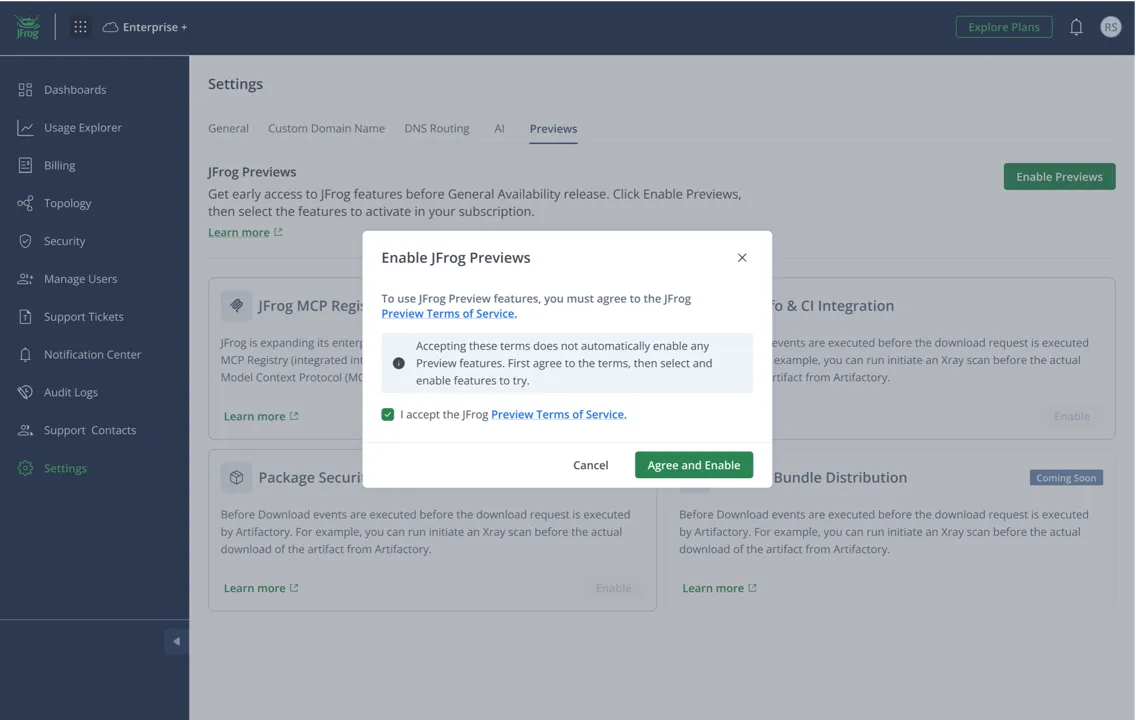
Both are free. All that’s required is an opt-in by the user agreeing to the Preview legal terms in the MyJFrog portal.
Why we’re doing this now
The market moves at the speed of agents. Preview lets us put exciting capabilities in front of you while they’re still being shaped so you can continuously adapt and adopt to stay competitive. That means JFrog will increasingly be built around how you actually use it.
What to expect, starting at swampUP
Many capabilities are already lined up for Preview today. Most of these capabilities will be introduced or demoed on stage at swampUP NY, then made available shortly after through your MyJFrog account.
As with any evolution, a few crucial caveats will ultimately dictate its success. Not every Preview feature is guaranteed to reach GA. If a feature or idea doesn’t solve your problems adequately, we’ll sunset it, tell you ahead of time, and move on together. You’ll never be surprised about something that’s quietly going away.
How to Get Started
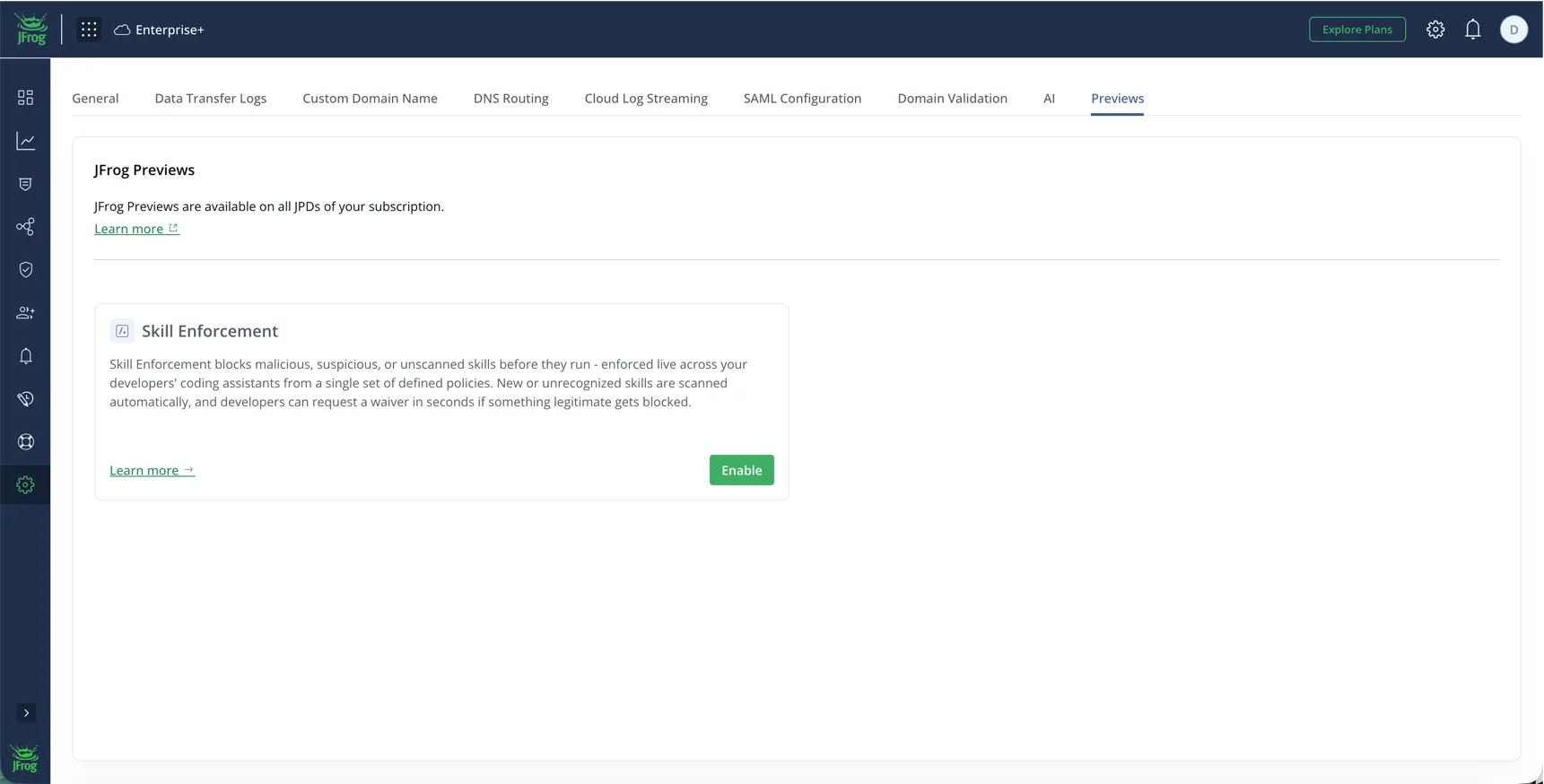
Full instructions for accessing Preview can be found here. Basic steps are as follows:
- In MyJFrog, go to Settings > Preview.
- Click the Enable Preview toggle.
- In the Enable JFrog Preview dialog box, open and read the Preview Terms of Service.
- Select the checkbox to accept the terms and conditions, and click Agree and Enable.
We invite you to use Preview, explore new features, and then tell us what worked and what didn’t.
See you at swampUP 2026!
 New insights from +1,400 security & DevOps leaders. Get the Full Report.