Claude
  Cursor
  Codex
Codex  Hugging Face
  NVIDIA
  Visual Studio Code
  Devin
Devin  Kiro
Kiro  Open Code
  NanoClaw
 Docker
  npm
npm  PyPy
PyPy  Wiz
Wiz 
 Financial Services
  Gaming
  Public Sector
  Automotive
  Technology
  Healthcare


Secure AI Workflows: The Identity and Access Management (IAM) Checklist
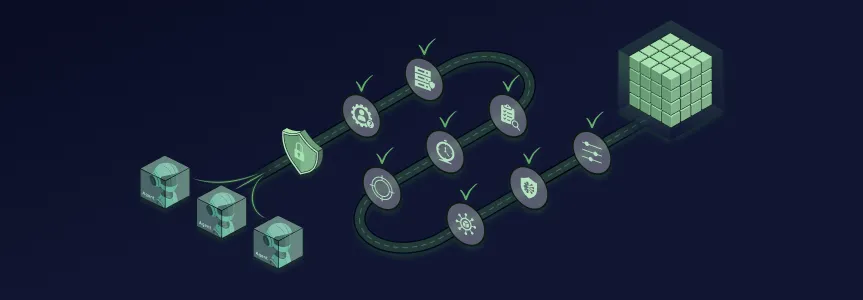
AI agents and LLMs are already building, analyzing, and deploying code across your software development lifecycle. As software supply chains become increasingly AI-driven, proactive security and access controls are your only path to success.
To effectively govern authentication and permissions without sacrificing development speed, you must update your access management strategies. By securing the AI assets that grant agents the power to act, you can automate policy guardrails, enforce granular tool-level permissions, and prevent unauthorized access to your production environment.
Moving forward securely and confidently requires your security strategy to cover two main workflows:
- Human-Assisted AI – Developers leveraging local coding assistants, such as Claude Code or Cursor, via the Model Context Protocol (MCP).
- Autonomous Agents/Agentic CI/CD – Independent AI agents executing automated workflows directly within deployment pipelines.
The 8-Point AI Access Management Checklist
Before integrating new AI agents or local assistants into your ecosystem, use this vetted roadmap to confirm your platform guardrails are configured correctly. Note that many of the examples used here are specific to the JFrog Platform, but the principles and processes apply to other tools as well.
| Checklist Item | Description | Explanation |
|---|---|---|
| 1. Globally disable anonymous access |
Turn off the Allow Anonymous Access setting globally. For JFrog users, the platform is automatically hardened by stripping anonymous users of global permissions by default. | This baseline block prevents unauthenticated users or rogue external AI tools from scanning and retrieving proprietary binaries, internal source code, and custom AI models. |
|
2. Set MCP servers to prevent |
Establish clear tool-level Allow/Deny policies to strictly validate incoming tokens and reject any credentials not explicitly issued for their specific audience. | Unvetted MCP servers create a massive perimeter blind spot. Passing raw tokens directly from an MCP client to downstream APIs bypasses standard access architecture and obscures critical audit trails. |
|
3. Enforce Restricted User |
Force local assistants to utilize tokens limited to a minor subset of the user’s permissions by embedding operational constraints using highly specific resource patterns. Ensure a dummy trigger scope is injected into the token. | Providing an agent with a standard access token grants full permission duplication. The dummy trigger ensures that if the token is passed to a legacy system lacking support for granular resource patterns, the authentication flow will automatically fail-closed and deny access. |
|
4. Scope agent tokens and |
Configure agent authentication for real-time validation against the user’s permission status. Ensure project-scoped tokens start with read-only access before eventually expanding to write operations. | Static permissions create windows of vulnerability. Real-time enforcement ensures that if an administrator instantly revokes a human developer’s access, the associated AI agent is terminated at the same time. Alternatively, starting read-only aggressively limits the blast radius. |
|
5. Monitor agent activity in audit |
Leverage custom user-agent headers for all AI-driven actions to ensure they are logged securely. | Without clear tracking, security teams cannot trace, monitor, and audit agent-driven operations effectively when an incident occurs. |
|
6. Deploy composite identities |
Map pipeline service accounts back to the distinct human developer who kicked off the automated sequence. | Relying on generic service accounts across autonomous pipelines creates an entirely opaque audit trail, while composite identities preserve continuous traceability across distributed microservices. |
|
7. Implement “safe outputs” for |
Restrict independent write capabilities programmatically rather than relying on manual human intervention gates. Establish strict execution boundaries, such as limiting the number of automated agent pull requests. | Unbounded write privileges allow a compromised or misconfigured model to flood artifact stores, execute mass code modifications, or open unauthorized distribution channels. |
| 8. Enforce deterministic external controls |
Enforce security logic strictly at the API and infrastructure gateway layers using established Zero Trust Architecture patterns such as NIST 800-207. | AI system prompts are fundamentally non-deterministic and can be effortlessly bypassed via prompt injection. True security must sit on the resource provider side, never relying on an LLM to self-enforce its own access boundaries. |
AI Governance in Action: Two Real-World Scenarios
To see how agent-ready IAM works in the real world, let’s look at how a governed AI environment changes the daily experience for both security administrators and engineering teams:
Scenario 1: The Human-Assisted Developer Workflow
Imagine a developer building a new feature using a local coding assistant. In a governed environment, the platform administrator has already globally disabled anonymous access as suggested in Checklist Item 1, meaning the assistant cannot silently pull proprietary packages without strict authentication. When the developer connects the assistant to their internal environment, the connection is routed through a vetted MCP server governed by the organization’s central registry to prevent unauthorized token passthrough per Checklist Item 2.
Instead of handing over a highly privileged access token, the developer issues a Restricted User Scoped Token that relies on fail-closed downscoping mechanics as stated in Checklist Item 3. If the agent attempts to hit a legacy API that doesn’t support these embedded restrictions, the request is automatically denied. Furthermore, the token is actively restricted to read-only access, and every API call the agent makes is validated dynamically against the developer’s live permissions as in Checklist Item 4. Finally, all of this activity is tracked seamlessly in the audit logs via custom user-agent headers as listed in Checklist Item 5, ensuring absolute visibility for the security team.
Scenario 2: The Autonomous CI/CD Workflow
Now, picture a DevOps engineer deploying an independent, autonomous AI agent inside a CI/CD pipeline to analyze and optimize build failures. In the past, this agent might have used a generic, highly privileged service account, completely obscuring the audit trail. Instead, to effectively govern authentication and permissions without sacrificing development speed, the governed pipeline assigns the agent a composite identity as suggested in Checklist Item 6, seamlessly mapping every action the agent takes back to the specific engineer who initiated the workflow.
Because autonomous agents operate without manual human approvals, the platform enforces “safe outputs” by programmatically restricting the agent’s write operations, capping it at a maximum of three pull requests per run per Checklist Item 7. Finally, the agent’s access boundaries are strictly enforced by deterministic, infrastructure-level IAM policies, as defined in Checklist Item 8. Even if a malicious actor attempts a prompt injection to trick the LLM into accessing restricted production databases, the infrastructure gateway’s deterministic controls block it instantly, allowing the agent to complete its optimization task safely, while the engineering team maintains full control.
The Bottom Line
Taking a proactive approach to the security of essential infrastructure is the only path forward as software supply chains rapidly evolve into agentic ecosystems. By treating MCP components, models, and skills as governed software packages within a unified platform, DevOps and Security teams can confidently accelerate developer innovation without losing operational control over AI coding environments.
If you are interested in scoping your systems to be agent-ready, then make sure to schedule a personalized demo with a JFrog expert at your convenience.
 New insights from +1,400 security & DevOps leaders. Get the Full Report.