Claude
  Cursor
  Codex
Codex  Hugging Face
  NVIDIA
  Visual Studio Code
  Devin
Devin  Kiro
Kiro  Open Code
  NanoClaw
 Docker
  npm
npm  PyPy
PyPy  Wiz
Wiz 
 Financial Services
  Gaming
  Public Sector
  Automotive
  Technology
  Healthcare


Definition
Containerization is a lightweight operating system (OS) virtualization approach that wraps software components into standardized, self-contained packages. This technology encapsulates all necessary binaries, libraries, and configurations, allowing applications to decouple from host environments. By establishing predictable execution baselines through strict isolation, engineering teams eliminate bugs during code transitions. Streamlining deployment pipelines improves cloud infrastructure density and provides the agility required to scale microservices on demand.
Overview of Containerization
Containerization has become a foundational approach to application deployment in cloud-native environments. By packaging code and dependencies into a portable container image, software behaves consistently regardless of host operating system differences, reducing environment drift and dependency conflicts that traditionally slowed release cycles. Virtual machines once allowed multiple workloads to share hardware through hypervisors, but each instance required its own full operating system. Containers reduced this overhead by sharing the host kernel while isolating processes in user space, enabling faster startup times, higher density, and more efficient scaling. Docker popularized this model, followed by the widespread adoption of Kubernetes and a growing ecosystem around it. Containerization now sits at the heart of workflows explored in DevOps and connects directly to concepts within the software supply chain, particularly where build artifacts, dependencies, and deployment automation intersect.
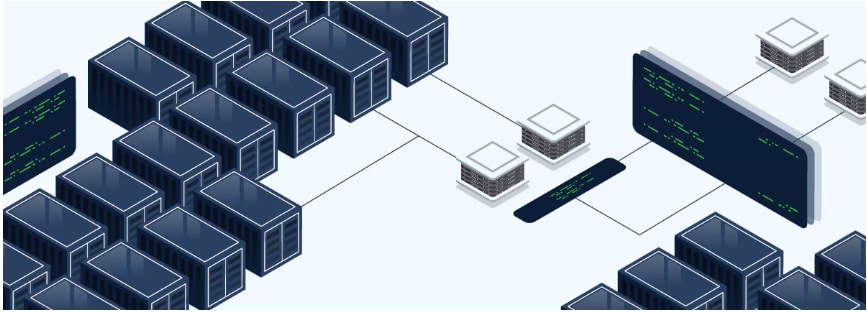
Defining Containerization in Context
Containerization introduced a new way to package applications. Instead of deploying software to bare-metal instances or heavyweight virtual machines, a container image becomes the unit of deployment. Each image includes the application code, libraries, and environment configuration required to run, ensuring that the same container behaves identically across machines, effectively decoupling the application from the underlying infrastructure layer. This artifact becomes immutable once created, which eliminates configuration drift and simplifies rollbacks. Containers also support architectural evolution. While monoliths require scaling the entire application, containerized services can scale individually based on demand. This aligns closely with microservices adoption, where services operate as independent components that can be updated, rolled out, or replaced without impacting the entire system.
Terminology forms an important foundation. An image is a template used to create a running container, while a registry stores, versions, and distributes those images. A container runtime such as containerd, CRI-O, or Docker Engine launches containers by interacting with kernel features like namespaces and control groups. Higher in the stack, an orchestrator such as Kubernetes schedules containers across nodes, ensures high availability, and manages scaling. The Open Container Initiative (OCI) standardized formats and runtimes so that images remain compatible across engines and platforms without vendor lock-in.
How Does Containerization Work?
The container journey follows a structured path from code to runtime:
- Build: Developers define requirements; a build process assembles an immutable image.
- Store & Secure: Images are pushed to a trusted registry where they are scanned for vulnerabilities and signed.
- Distribute: The registry serves as the “system of record,” distributing versioned images to deployment pipelines.
- Run & Orchestrate: A runtime launches the container, while an orchestrator manages scaling and health.
When applications grow beyond a few containers, orchestration becomes necessary. Kubernetes is the most widely used orchestrator, responsible for scheduling containers on nodes, restarting them on failure, scaling services up or down based on demand, and routing network traffic between them. Kubernetes introduces concepts like Pods, Deployments, and Services to manage these responsibilities. Other orchestration options — including ECS, Nomad, and Docker Swarm — provide alternative scheduling and workflow models, though Kubernetes has become the dominant engine for large-scale container environments.
Containerization Architecture
A containerized application runs through a layered architecture built on top of a host operating system. At the foundation is the OS kernel, which remains shared across containers. Above that sits a container runtime responsible for running processes inside isolated namespaces and cgroups. Containers operate as user-space environments with only the files and dependencies they require. While virtual machines emulate an entire operating system, containers rely on shared kernel functionality, reducing overhead and enabling faster startup times. Networking layers allow containers to communicate internally or across nodes through bridge networks, overlays, or service mesh layers. Service meshes introduce traffic routing, encryption, and observability capabilities for distributed systems while maintaining reliable communication between microservices.
This architecture differs from virtualization, where each VM runs a full guest operating system on top of a hypervisor. In comparison, containers start in seconds, require fewer resources, and can reach much higher density. They also support hybrid and multi-cloud strategies. A container running locally can be deployed to any cloud or on-prem cluster without modification, provided the platform supports container runtimes. This portability is a primary benefit for enterprises moving from monolithic architectures into distributed microservices.
Why do Teams Adopt Containerization?
Containerization enables teams to automate deployments and eliminate configuration drift. Applications packaged once can run anywhere without reconfiguration. Build pipelines produce versioned images, making rollbacks predictable and release velocity higher. Resource efficiency increases because multiple containers share a single kernel, and scaling becomes as simple as starting more instances rather than provisioning entire virtual machines. Faster boot times reduce failure recovery windows, and ephemeral environments allow developers to spin up test systems on demand. This model directly supports continuous integration and delivery workflows where code is built, scanned, signed, and deployed automatically.
From an operational perspective, containerization enables more reliable application behavior by reducing dependency conflicts and supporting isolated execution. For engineering leaders, containerization provides a strategic foundation for high availability, multi-region deployment, and hybrid infrastructure management. The result is a development workflow that supports experimentation while maintaining reliability at scale.
Containerization vs Virtualization
While virtualization and containerization both allow multiple applications to share hardware, their architectures differ significantly. Virtual machines replicate an entire operating system for each application, including kernel and system libraries. Containers share the kernel, which reduces memory usage and greatly improves startup times. This efficiency means that dozens or even hundreds of containers can run on a single host where only a few VMs would fit.
The distinction shapes practical use cases considerably. Containers are well-suited to microservices development, stateless workloads, CI/CD automation, and cloud-native applications, particularly where rapid deployment and scaling matter most. Virtual machines, on the other hand, continue to serve legacy systems, workloads demanding strong isolation boundaries, and environments governed by compliance or OS-level requirements. Many architectures blend both approaches, hosting containers inside VMs to gain isolation without sacrificing the portability that containers offer.
Performance varies depending on workload type. Lightweight services such as API backends and batch jobs often achieve higher throughput under containerization due to lower overhead. Networking and storage performance depend on configuration choices, and tuning strategies differ from VM-based deployment. Observability becomes more distributed because containerized systems usually consist of many small components rather than one large application runtime.
What are the Applications of Containerization?
Containerization supports the entire software lifecycle, from local development through CI, staging, and production. Developers build and test applications inside containers so dependencies and configurations remain consistent everywhere they run, reducing environment-related issues and easing handoff between teams. Because containers start quickly and can be discarded easily, they enable rapid experimentation, feature branches, and on-demand testing environments without long-lived servers.
Containers also power microservices architectures, allowing API services, workers, pipelines, and web applications to operate as independent components that scale on their own. Ephemeral environments make integration testing and performance validation easier to execute, while the same consistency benefits batch processing, CI runners, and ETL workloads.
In the enterprise, containerization now extends to stateful workloads when persistent storage and orchestration are in place. Kubernetes is central to this shift, and managed platforms like EKS, AKS, GKE, and ECS help teams deploy at scale without managing control plane internals. Many environments combine long-running container services with serverless functions for short-lived workloads, creating flexible architectures that balance cost, responsiveness, and reliability across industries and application types.
What are the Challenges and Considerations of Containerization?
Containerization introduces new operational complexities. Unlike monoliths, distributed workloads require a unified approach to debugging. Teams must aggregate and correlate logs, metrics, and traces from every service to find the root cause. Persistent storage requires planning since containers are ephemeral by default. Security also becomes a shared responsibility. An image may contain vulnerabilities inherited from base layers, and scanning becomes essential to maintain trust in the software supply chain. Organizations often establish internal base image standards, tagging conventions, and versioning patterns to reduce inconsistency and risk. Removing unused packages, limiting attack surface, and signing images are core best practices.
Stateful applications require careful strategy because containers can restart or move between hosts. Scaling, network policies, and rollout strategies must be defined through policy rather than manual operations. Building a successful container adoption strategy involves not only tooling but also documentation, developer enablement, and training to ensure that teams can use containers effectively and consistently.
Best Practices for Containerization at Scale
Consistent practices, clear governance, and standardized workflows are the foundation of effective container adoption. The highest-performing teams treat image discipline as a first-class concern, stripping out unused libraries and packages not just to slim down builds, but to shrink the attack surface and cut startup latency. Creating standardized base images that every team builds from helps maintain uniform environments and reduces the time required to patch dependencies, because improving the base layer automatically updates anything built on top of it. This standardization lowers operational friction and keeps development velocity high as applications grow.
Versioning discipline also plays a major role. Clear tagging ensures that teams know exactly which image is running in development, staging, or production, and enables reliable rollback when needed. Storing, tracking, and distributing images through a central registry adds traceability across the pipeline while supporting policies around retention, promotion, replication, and disaster recovery. Secure images benefit from signing and validation, while continuous vulnerability scanning strengthens trust in the artifacts moving across environments — aligning with supply chain protections described in software supply chain guidance.
Documentation and developer enablement further ensure that patterns stay consistent over time. Many organizations provide starter repositories, reference Dockerfiles, and templates for Kubernetes deployment, helping teams follow best practices without reinventing workflows. With clear baseline standards, container adoption scales across departments more smoothly, lowering operational risk and improving long-term maintainability.
Getting Started with Containerization
The transition to containerization begins with a single application and evolves into a managed, automated ecosystem.
Phase 1: Containerizing a Service
- Definition: Developers write a Dockerfile to define the application dependencies and environment.
- Packaging: A build process creates an image, which is then pushed to a registry such as JFrog Artifactory, where it becomes versioned and available for distribution.
- Automation: Build, scan, sign, push, and deploy tasks are integrated into established CI/CD workflows.
- Enablement: Documentation and platform standards ensure consistent patterns across development teams.
Phase 2: Scaling to Cloud-Native
- Multi-service Architecture: Expanding beyond single containers into distributed environments.
- Orchestration: Implementing Kubernetes to schedule workloads and manage container health.
- Deployment Strategy: Utilizing Helm to package and manage complex Kubernetes applications.
- Strategic Alignment: Connecting container registries and orchestration to broader cloud-native initiatives.
Bringing Containerization and Software Delivery Together with JFrog
As container use grows, images become critical software artifacts that must be secured, versioned, scanned, and distributed with traceability. Just as code requires source control, containers require a trusted registry. The JFrog Platform unifies artifact management, security scanning, CI/CD integration and artifact promotion, and release automation to help organizations move from development to deployment safely. With JFrog Artifactory serving as the system of record for container images, teams can store, sign, promote, replicate, and distribute artifacts across hybrid environments at scale. Images flow through pipelines that scan for vulnerabilities, enforce policy, and promote only trusted builds into production, connecting software supply chain governance to containerized deployment.
Whether you operate a handful of microservices or thousands of distributed workloads, JFrog helps streamline container workflows from build to registry to runtime. With containerization now a foundation for cloud-native development, organizations that manage images as first-class artifacts gain reliability, consistency, and the ability to scale confidently across clouds, regions, and teams.
For more information, start a free trial or schedule a demo to see how Artifactory manages your container images across environments.