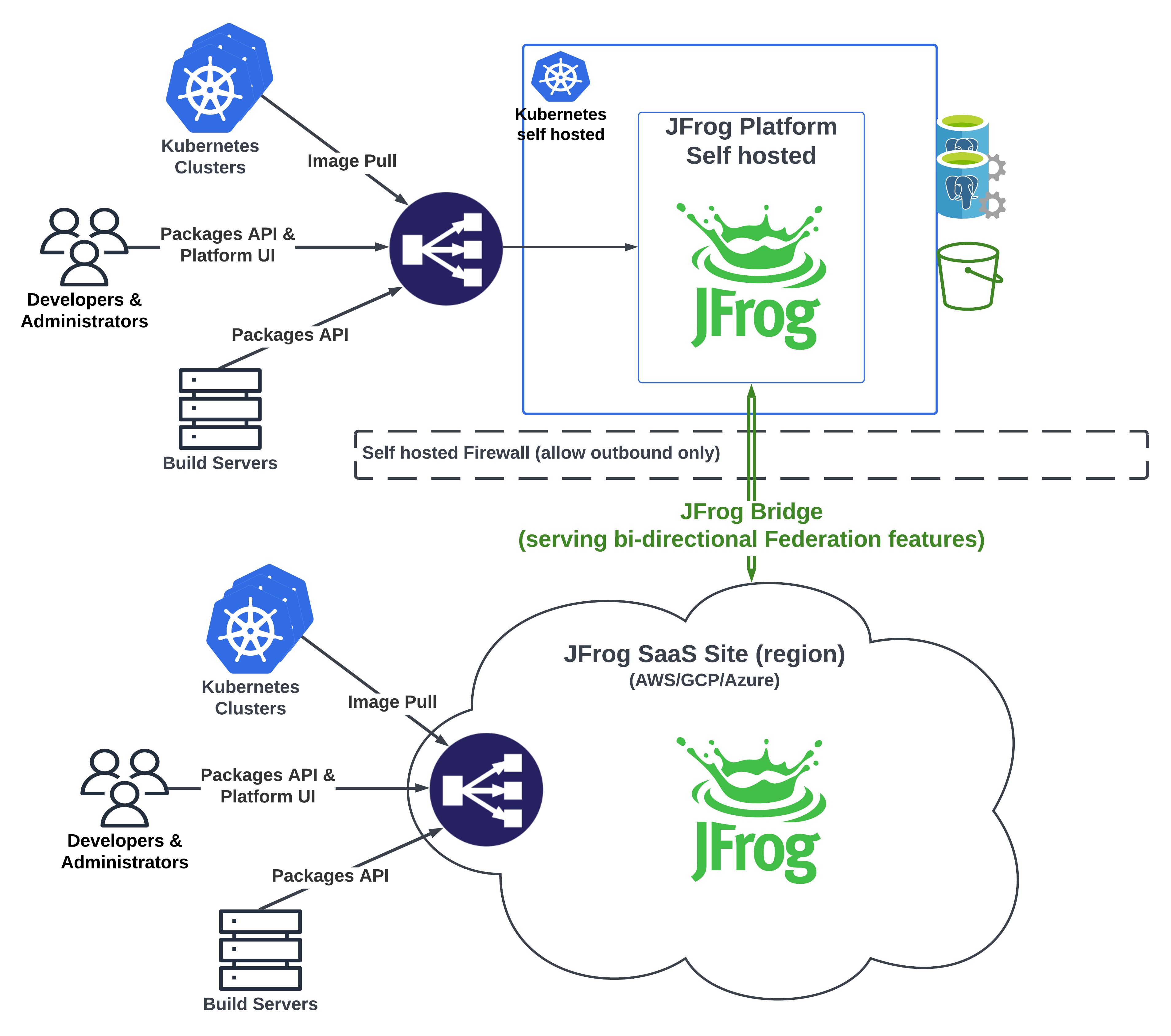
Hybrid with JFrog Bridge
Overview
A JFrog Platform Deployment in JFrog SaaS together with self-managed deployments on your premises. Federated services need those sites to sync. Policies that block inbound connectivity stop self-managed deployments from participating like internet-reachable sites.
Why
- Federation and distribution need the SaaS site and the self-managed sites to reach each other
- Inbound connections to on-premises deployments are often denied
- Bridge uses outbound HTTP paths that are typically already allowed
- Forwarded API requests authenticate with your self-managed CA. Bridge can use the platform proxy defaults and per-bridge overrides
How
- Install the Bridge Client on the self-managed side. It opens outbound connections to the SaaS Bridge Server. Bridge requires an Enterprise+ subscription. See the JFrog Bridge documentation
- The tunnel carries platform traffic without inbound firewall exceptions
- Use it for Access Federation, so users, groups, and permissions stay consistent
- Use it for Repository Federation across the firewall
- Use it to distribute release bundles and management traffic to Edge nodes at protected sites
Platform Federation does not yet combine a SaaS site with self-managed sites. Self-managed sites can join a self-managed Platform Federation in early access. Until hybrid membership is available, Bridge carries Access Federation and Repository Federation.
Central site, optional Edge sites, Smart Remote repositories, and release-driven workflows are covered on the Hybrid page.
Architecture
Where self-managed deployments cannot accept inbound connections, Bridge makes federation and distribution viable. Examples match the Hybrid page: SaaS or self-managed as the main site, with edges, selective federation (including CI/CD Separation), or SaaS as backup.
The schematic below matches the general Hybrid page (a Bridge-specific diagram may replace it later).